
What are Goals, Tasks, and Challenges?
Assignments in Coming Home are organized into a hierarchy of milestones: Challenges, Goals, and Tasks. For a full explanation of this hierarchy, see Understanding Goals, Tasks, and Challenges.
In short:
- Challenges are long-term, overarching achievements, often taking a year or more (for example, achieving financial stability or sobriety).
- Goals break a challenge down into shorter-term steps a client can work on weekly or monthly.
- Tasks break goals down further into day-to-day, often time-sensitive actions, such as attending a meeting or submitting a document.
Once assigned, clients can view these milestones and update their progress from the mobile app.
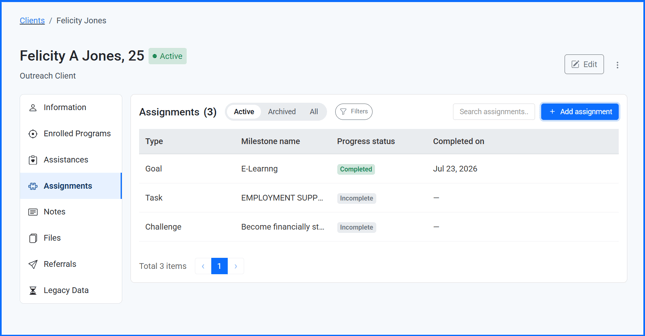
Who Can Assign Milestones
- Organization Administrators and Team Members
- Can build an organization's milestone menu (reusable challenge, goal, and task templates)
- Can assign milestones to clients within their assigned caseload
- Clients
- Cannot create milestones
- Can view and update progress on milestones assigned to them
How to Assign a Goal, Task, or Challenge
- Go to the client's Client Toolkit and select Assignments.
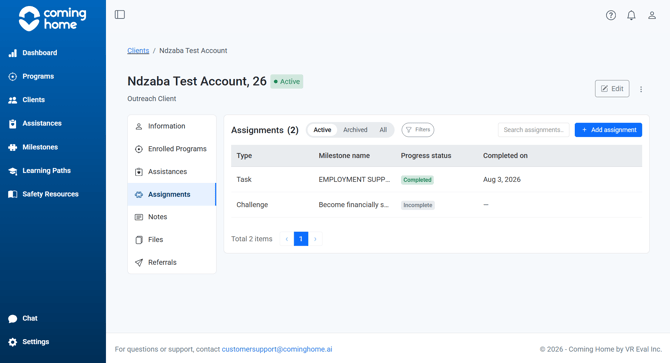
- Click Add assignment.
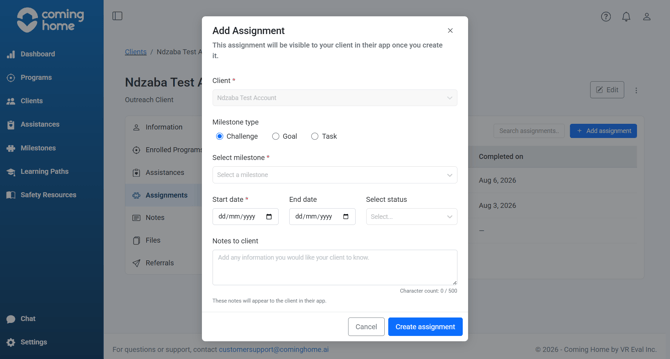
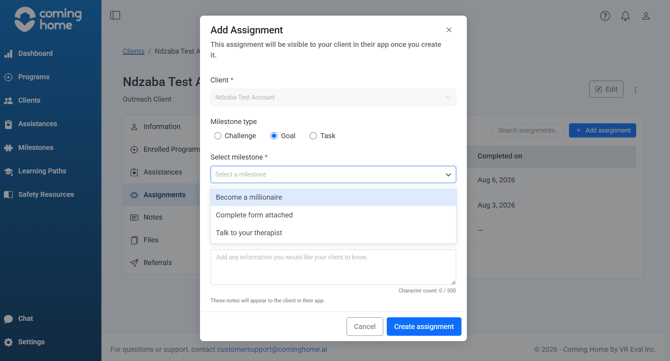
- Select the milestone type: Challenge, Goal, or Task.
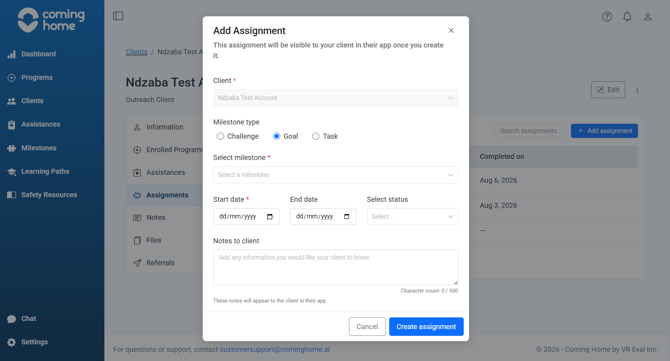
- Choose from your organization's pre-built milestone menu, or create a new one.
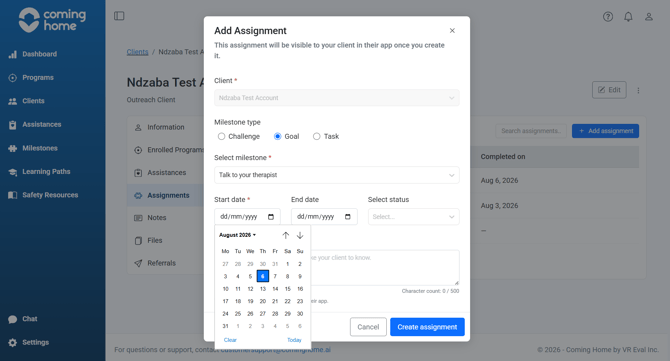
- Set a start date, end date, and status (Incomplete, Complete, or Late).
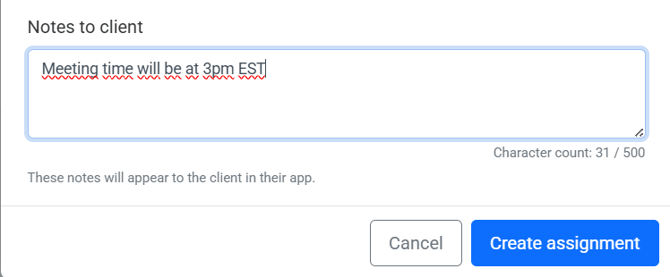
- Add an optional note for the client, such as encouragement or logistical details (for example, meeting location or time).
- Save the assignment.
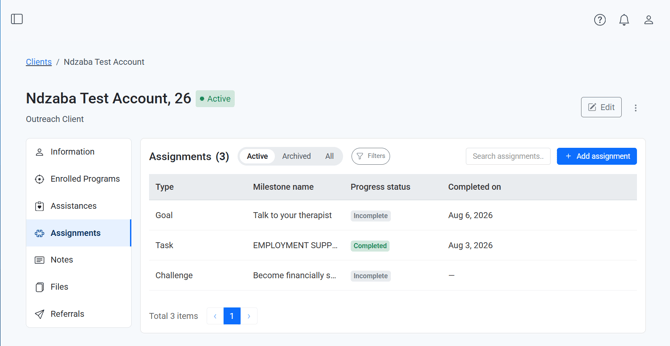
Why it matters: Assignments support strengths-based case management, giving clients a clear, structured path toward their goals and giving providers a way to measure outcomes over time.
Tips/Best Practices
- Start with the end in mind: Think about what a client should have achieved by the time they graduate from your program, then work backward into challenges, goals, and tasks.
- Keep tasks time-bound: Tasks work best when tied to something happening this week, like a scheduled meeting or a document deadline.
- Use notes to encourage: A short note can help a client feel supported, especially between sessions.
- Track progress manually when needed: If a client doesn't have access to a phone or the app, you can still update their milestone status directly in the CCMS.
Related Articles
- Overview of App and System Connectivity
- How an Assignment You Create Appears in the Client's App
- Viewing and Completing Assignments in the App
- Reviewing a Client's Assignment Progress in the CCMS
Need more help?
If you have questions about assigning goals, tasks, and challenges:
- Reach out to your Organization Administrator for guidance on permissions and workflows
- Contact the Coming Home support team for technical assistance
- Refer to related guides on the Client Toolkit for step-by-step instructions