
What is Included in the Client App?
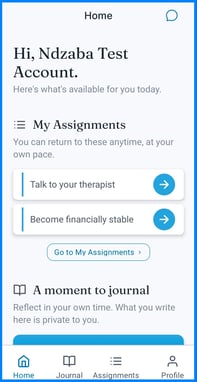
Once your client logs in, they'll have access to three core features that connect back to the web platform:
- Assignments — goals, tasks, and challenges you've assigned them
- Chat — secure messaging with you
- Journal — a private space for personal reflection
Who Uses the App
- Clients - Use the app to view assignments, message their provider, and journal
- Care Providers - Do not use the mobile app directly; they manage the connected features from the web platform
How Your Client Gets Started
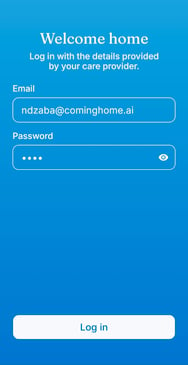
- Your client logs in using the credentials you created for them.
- Your client is taken to the app's home screen, where they can navigate to Assignments, Chat, or Journal.
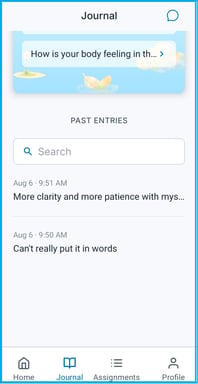
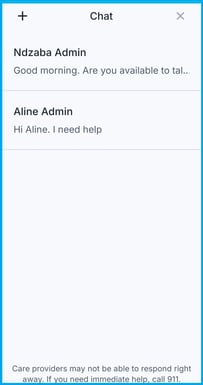
- Encourage your client to explore each section during onboarding, ideally with your guidance during a session.
Why it matters: A short walkthrough helps your client feel confident using the app on their own, which supports more consistent engagement between sessions.
Tips/Best Practices
- Do a first-login walkthrough together: Show your client where each feature lives before sending them off on their own.
- Set expectations for each feature: Let them know assignments are shared with you, but journal entries are not.
Related Articles
- Overview of App and System Connectivity
- Client App Overview: Logging In
- Viewing and Completing Assignments in the App
- Messaging Your Care Provider in the App
- Using the Private Journal
Need more help?
If your client needs help getting oriented in the app:
- Walk through the app together during a session
- Contact the Coming Home support team for technical assistance