
What is In-App Messaging?
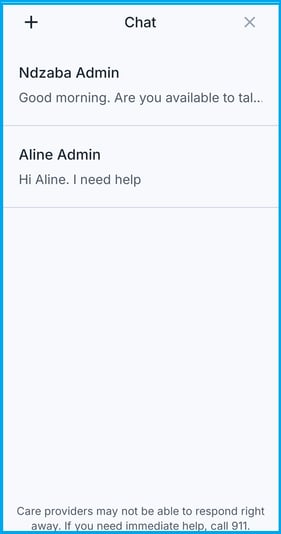
The Coming Home mobile app includes secure messaging that lets your client reach out to you between sessions. Messages sent from the app appear in the Client Toolkit, where you can respond.
Who Can Use In-App Messaging
- Clients
- Can message their assigned care provider
- Cannot message other clients or team members
- Care Providers
- Receive and respond to client messages from the web platform
- Receive a notification when a client sends a new message
How Your Client Sends a Message
- Your client opens the Chat section of the mobile app.
.jpg?width=276&height=537&name=Assignment_Coming%20Home%20(2).jpg)
- Your client types their message and sends it.
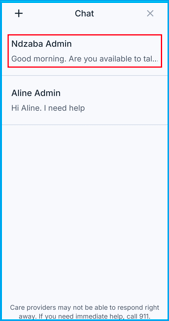
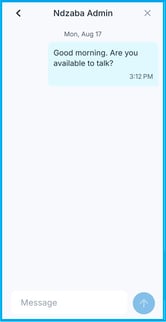
- You receive the message, along with a notification, in the web platform.
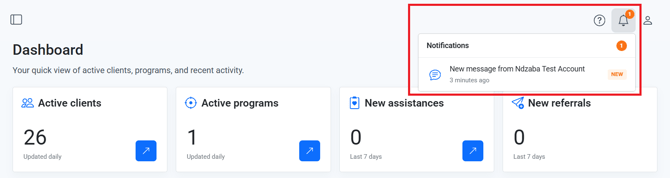
- You can reply directly from the Client Toolkit, and your client sees your reply in the app.
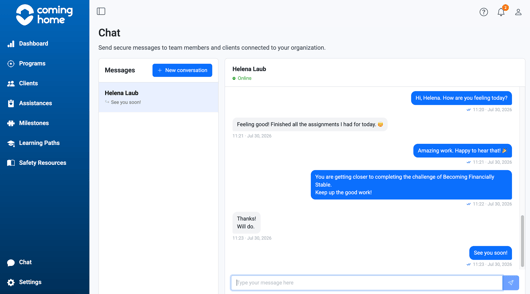
Why it matters: This gives your client a safe, secure way to reach out when they need support, without stepping outside the platform.
Tips/Best Practices
- Let your client know when to expect a reply: Set expectations about response time so they know messaging isn't the same as an emergency line.
- Check in if messages go unanswered for a while: A gap in communication can sometimes be a sign your client needs extra support.
Related Articles
- Overview of App and System Connectivity
- Messaging a Client from the CCMS
- How Client Messages Sync Between the App and CCMS
- Client App: Getting Started / Navigation Basics
Need more help?
If your client has trouble sending a message:
- Confirm their app access and credentials are active
- Contact the Coming Home support team for technical assistance