
The Referrals tab within the Client Toolkit allows you to track and manage both incoming and outgoing referrals for a client. This centralized view helps you monitor connections with external providers, update engagement statuses, and maintain a clear history of care coordination.
What are Programs?
Programs allow you to group clients based on the services, therapies, or curricula they receive.
This creates a structured view of your organization’s caseload, making it easier to understand, navigate, and manage clients across different initiatives or funding streams.
Why Programs matter
Programs help your team:
- Organize clients by type of support
- Separate caseloads across services or funding streams
- Improve visibility across teams
- Quickly understand how clients are grouped
- Navigate between different client cohorts
Who can use this feature
- Organization Administrators: Have full management access. Can view, add, edit, archive, and unarchive programs.
- Team Members: Have limited operational access focused on participation. Can view programs and program profiles within their organization. Cannot add, edit, or archive programs.
- Interns / Volunteers: Have visibility but restricted management permissions. Can view programs and program profiles. Cannot add, edit, or archive programs.
- Law Enforcement / Advocates: Do not have access to the Programs section.
What you’ll find in the Programs Dashboard
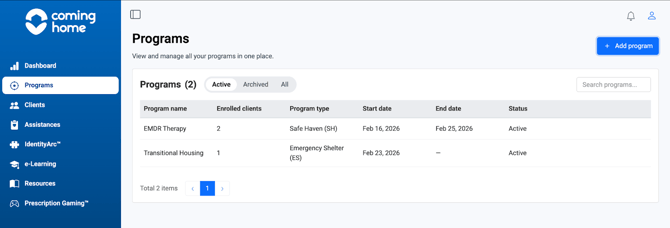
When you navigate to the Programs tab, you’ll see a centralized dashboard with all programs in your organization.
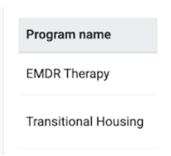
Each program includes:
- Program Name – Title of the program
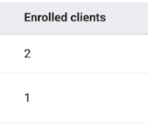
- Enrolled Clients – Number of active participants
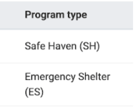
- Program Type – Category of service
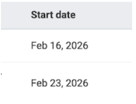
- Start Date – When the program began
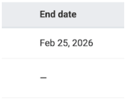
- End Date – Scheduled completion date (if applicable)
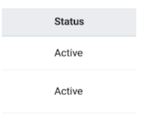
- Status – Active or Archived
You can also:
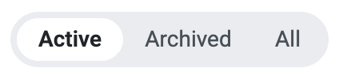
- Filter by Active, Archived, or All
- Use the search bar to find a specific program
How Programs are used
Programs are designed to improve organization and coordination across your team.
Use Programs to:
- Classify clients by service, therapy, or curriculum
- Track services (assistances) tied to a program
- Track assessments at program level
- View which clients are active within a program
- Navigate between different groups of clients
Tips / Best Practices
- Use for grouping, not detailed tracking: Programs are meant for categorizing clients. They are not intended for tracking individual client progress, activities, or case notes. For detailed, client-specific work, you should use the Client Toolkit (which you can access directly by clicking on a client's name within a program).
- Check prerequisites: If you navigate to the Programs section and see no data, ensure that your organization has added clients to the platform, created at least one program, and assigned clients to that program.
- Leverage for team alignment: If new team members need to quickly understand how clients are organized, direct them to the Programs dashboard for a clear, visual grouping of your organization's structure.
Related Articles
- How to enroll a client in a program
- How to create a program
- How to Use Assessments at the Program Level
- Overview of the client toolkit